There are no items in your cart
Add More
Add More
| Item Details | Price | ||
|---|---|---|---|
Mon Oct 12, 2026
Imagine that you are looking for a job. You have completed your studies, learned some useful skills, and started applying for opportunities.
You have also created a LinkedIn account, but your profile contains only your name, education, and a short line saying that you are looking for a job.
You may be wondering why your profile is not generating the attention you expected.
Here is something important to understand: creating a LinkedIn profile and creating a professional profile are two different things.
Recruiters may review many profiles while searching for candidates. A clear, relevant profile helps them understand your background more quickly.
However, no profile can guarantee recruiter attention, interview invitations, or a job offer. Your skills, experience, role fit, and the hiring requirements still matter.
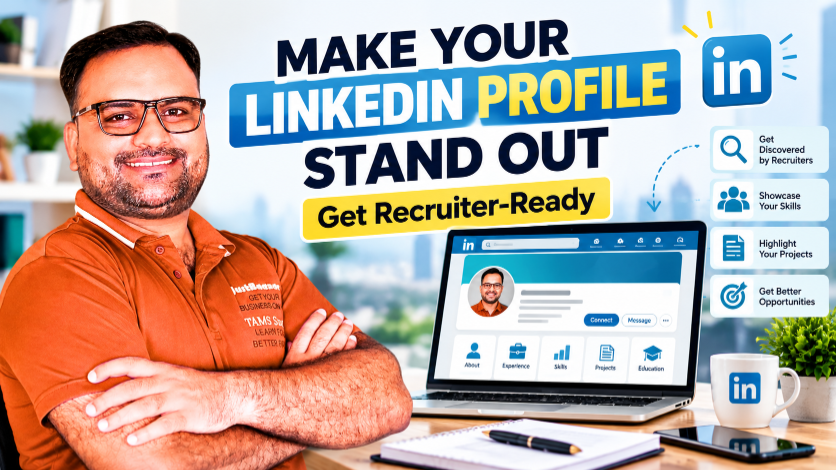
In this guide, I will explain how to improve your LinkedIn profile step by step, including your headline, photo, About section, experience, skills, projects, and professional activity.
Your resume is usually prepared for a particular job application. Your LinkedIn profile can serve as a broader professional introduction.
It can help you present your experience, interests, projects, skills, and professional development in one place.
Depending on the role and the recruiter's search process, your profile may also help them discover you through relevant keywords and profile information.
A well-maintained profile can support several career goals:
The objective is not to make your profile look impressive at any cost. It is to make it accurate, relevant, and easy to understand.
Your profile photo is one of the first visual elements people may notice.
You do not need an expensive photoshoot. A clear, recent photograph is a practical starting point.
Try to use a photo that:
Avoid heavily filtered images, distracting backgrounds, or pictures where your face is difficult to see.
Remember that professional appearance varies across industries. The goal is to look genuine, clear, and appropriate for the work you want to do.
Your headline is important because it appears in several LinkedIn contexts, including search results and connection areas.
Many freshers write only:
“Student” or “Looking for a job.”
These descriptions tell people very little about the work you want to do.
Instead, use your headline to communicate your career direction and relevant skills.
Digital Marketing Fresher
Digital Marketing Fresher | SEO | Content Strategy | Social Media Marketing
Finance Graduate
Finance Graduate | Financial Analysis | Excel | Business Research
Human Resources Aspirant
HR Aspirant | Recruitment | Employee Engagement | HR Operations
Data Analytics Beginner
Aspiring Data Analyst | Excel | SQL | Data Visualization
These are examples, not templates you must copy exactly. Use only skills you can genuinely discuss.
If you have professional experience, include your current role or specialization where appropriate.
A good headline communicates your direction without making unsupported claims.
The About section gives you space to explain your background in a little more detail.
Think of it as a short professional introduction rather than an autobiography.
A useful About section usually covers four areas:
I am developing my career in digital marketing, with a particular interest in SEO, content strategy, and social media marketing.
I enjoy understanding how businesses communicate with their audiences and how useful content can support online visibility. I am building practical skills through independent projects, research, and continuous learning.
My current focus is on strengthening my understanding of keyword research, content planning, website optimization, and digital marketing fundamentals.
I am interested in entry-level opportunities where I can apply my knowledge, contribute to a team, and continue learning through practical work.
Personalize this example with your actual education, skills, and projects. If you have experience, describe it accurately. If you are a beginner, you do not need to pretend otherwise.
Do not assume that the Experience section is useful only for full-time employees.
Depending on your background, you may have relevant experience from:
Include an experience only when it accurately represents what you did.
When describing a role, explain your responsibilities and contributions instead of using only a job title.
For example, instead of writing:
“Worked in digital marketing.”
You might write:
“Supported content planning, researched relevant keywords, prepared social media content, and reviewed basic performance metrics.”
Use that description only if those activities genuinely reflect your work.
Where you have measurable outcomes, include accurate figures and explain your contribution. Never invent results to make your profile look stronger.
One of the biggest challenges for freshers is the lack of formal work experience.
But you may still have projects that demonstrate your ability to learn and apply a skill.
For example, a digital marketing fresher might showcase:
For each project, explain the objective, your process, the tools you used, and what you learned.
If the project was hypothetical or created for practice, label it clearly as a practice project.
You can add suitable projects through LinkedIn's available profile sections or link to an external portfolio.
For further guidance, read the CBS article on building a career portfolio without work experience.
Skills help communicate what you can do. They can also provide useful context when someone reviews your profile.
However, adding dozens of unrelated skills is not a strong strategy.
Start by reviewing the job descriptions for the roles you want.
Look for skills that appear repeatedly and are relevant to your capabilities.
These are examples, not a recommendation to add every item. Choose skills that reflect your actual knowledge.
Where available, ask people who have directly worked with you to endorse relevant skills. Genuine professional evidence is more useful than trying to collect endorsements indiscriminately.
Recruiters may search LinkedIn using job titles, skills, locations, industries, and other criteria.
This makes relevant terminology important.
Suppose you want an entry-level SEO role. Your profile might naturally include terms such as:
Include relevant terminology in appropriate places, such as your headline, About section, experience descriptions, skills, and projects.
Do not repeat the same keyword unnaturally throughout your profile.
Keyword relevance can help communicate your professional focus, but it does not guarantee that your profile will appear in a particular search result.
For students and freshers, education can be an important part of the profile.
Include your actual qualification, institution, and other relevant information.
If you have completed certifications, list those that are relevant to your target role.
For each certification, make sure the information is accurate and that you can explain what you learned.
A certificate can demonstrate that you completed a learning program. It does not automatically prove mastery of a skill.
Where possible, combine learning credentials with projects that demonstrate how you applied the knowledge.
The Featured section can make selected work easier to find on your profile, depending on the options available in your account.
Consider highlighting:
Choose items that support your target role.
If you are looking for a content role, an article or content portfolio may be relevant. If you are applying for web-related work, a website project could be more useful.
Review the links periodically to ensure that they work and display the intended content.
Recruiters should not have to guess which roles interest you.
If you are actively seeking a job, you can use LinkedIn's available job-seeking preferences, such as Open to Work, where appropriate.
Choose job titles and locations that reflect your genuine preferences.
Keep your profile aligned with the roles you are applying for.
For example, if you are applying for SEO Executive roles, make sure your relevant skills and projects are easy to find.
If you are exploring several related roles, organize your profile around the common skills that connect them rather than presenting a completely different professional identity in every section.
A professional profile is not only a static page. You can also use LinkedIn to participate in industry conversations.
You might share:
You do not need to post every day. Choose a sustainable schedule that allows you to share useful, accurate information.
When commenting on other people's content, contribute something relevant rather than posting generic comments everywhere.
This approach can help you learn, communicate your interests, and participate in professional discussions.
For more guidance, read the CBS article on networking professionally on LinkedIn.
It can be tempting to use impressive titles or exaggerated claims to make your profile stand out.
But a professional profile should accurately reflect your experience.
Avoid:
You can still create a strong profile without exaggeration.
Explain what you are learning, show what you have built, and communicate your career direction clearly.
Credibility comes from the consistency between what you claim and what you can demonstrate.
After making changes, review your profile as though you were hiring for your target role.
Ask yourself:
Ask a trusted professional or mentor to review the profile if possible. Another person's perspective can reveal confusing wording that you may have overlooked.
Choose the main role or closely related roles you want to pursue. Review several relevant job descriptions and identify recurring requirements.
Use a clear photo and write a headline that communicates your professional direction.
Explain your background, relevant skills, projects, and career goals in clear language.
Correct missing details and describe your responsibilities accurately.
Showcase suitable work and prioritize skills related to your target roles.
Check links, spelling, consistency, and the overall clarity of your profile.
Connect with relevant people, engage thoughtfully with useful posts, and plan one meaningful contribution of your own.
Build the profile, develop the skills it describes, apply for relevant roles, and continue learning from your professional interactions.
Review your profile whenever something meaningful changes.
For example:
A monthly review can also help you notice missing information. You do not need to rewrite the entire profile every week.
First, remember that recruiter messages are not the only measure of progress.
Hiring activity depends on many factors, including current vacancies, your qualifications, location, experience, competition, and how closely your background matches the role.
If you are not receiving responses, review more than your profile.
Keep applying directly to suitable vacancies. Use LinkedIn as one part of your career strategy, not your only job-search method.
Your LinkedIn profile should do more than announce that you are looking for a job.
It should help people understand your professional identity, the skills you are developing, the work you have completed, and the direction in which you want to grow.
You do not need a long list of achievements to begin.
You need accurate information, relevant skills, clear communication, and evidence of your work.
If you are a fresher, start with what you have. Improve your headline. Write a meaningful About section. Add your education and relevant projects. Continue building practical skills.
Then review the profile regularly as you grow.
A strong LinkedIn profile is not a substitute for capability. It is a way to communicate that capability more clearly.
Explore Career Building School to continue developing practical digital skills and applying your learning through projects that can strengthen your professional profile.
Explore Career Building SchoolUse a clear headline, a useful About section, accurate experience details, relevant skills, and examples of your work. Align the profile with the roles you want and keep the information current.
A fresher can mention their career direction and relevant skills, such as “Digital Marketing Fresher | SEO | Content Strategy.” Include only skills that reflect your actual knowledge.
Explain your professional background, relevant interests, skills, projects, and the type of work you are pursuing. Use clear language and avoid unsupported claims.
You can create a relevant professional profile without formal work experience. Show your education, practical projects, relevant skills, and learning progress honestly. Recruiter interest will still depend on the role and hiring requirements.
Prioritize the skills most relevant to your target roles. There is no universal ideal number. Accuracy and relevance are more useful than adding every skill you have encountered.
Useful posts can help communicate your interests and participate in professional discussions. However, posting does not guarantee profile visibility or job opportunities. Continue applying for relevant roles and developing your skills.
If you are actively looking for a job, LinkedIn's available job-seeking preferences may help communicate your interest. Review the current visibility settings and choose the option that suits your circumstances.
Update it when your skills, experience, projects, qualifications, or career direction change. A periodic review can help you catch missing information and outdated links.
A LinkedIn profile can support your job search, but it does not replace a resume when an employer requests one. Keep both accurate and tailor your resume to each relevant application.
There is no guaranteed timeline. Results depend on your qualifications, target roles, hiring demand, profile relevance, professional activity, and other factors. Focus on improving your profile while pursuing opportunities through multiple channels.
Make your profile clear. Make your skills visible. Keep building the evidence that supports your professional story.
 Launch your Graphy