
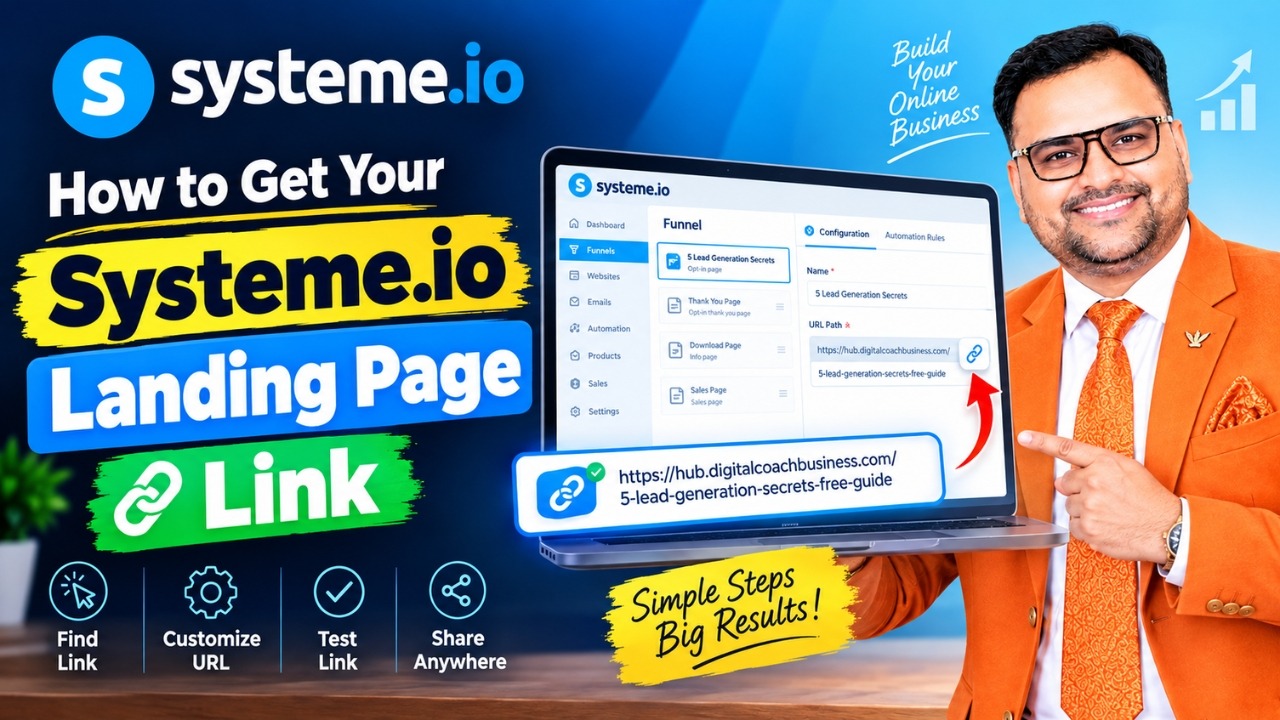
How to Get Your Systeme.io Landing Page Link
You have created a beautiful landing page in Systeme.io , but now comes the important question: How do you get the public link of your landing page?
Don't worry. You don't need complicated technical knowledge. Systeme.io makes it very simple to find, copy, customize, test, and share the public URL of your landing page.
What Is a Public Landing Page Link?
A public landing page link is the URL that your visitors use to open your landing page on the internet.
For example, if your domain is:
https://yourdomain.com/
and your URL path is:
free-guide
your public landing page URL can be:
https://yourdomain.com/free-guide
This is the landing page link that you can share with your audience on WhatsApp, Facebook, Instagram, LinkedIn, YouTube, email, advertisements, and other platforms.
How to Get Public Link of Landing Page in Systeme.io
Follow these simple steps to get your Systeme.io landing page URL.
Step 1: Login to Your Systeme.io Account
First, login to your Systeme.io account.
From your dashboard, go to:
Sites → Sales Funnels
You will see the list of funnels available in your account.
Step 2: Open Your Funnel
Select the funnel that contains the landing page you want to share.
Your funnel may contain multiple pages, such as:
- Opt-in Page
- Thank You Page
- Download Page
- Sales Page
- Order Form
- Upsell Page
Select the funnel containing your landing page.
Step 3: Select Your Landing Page
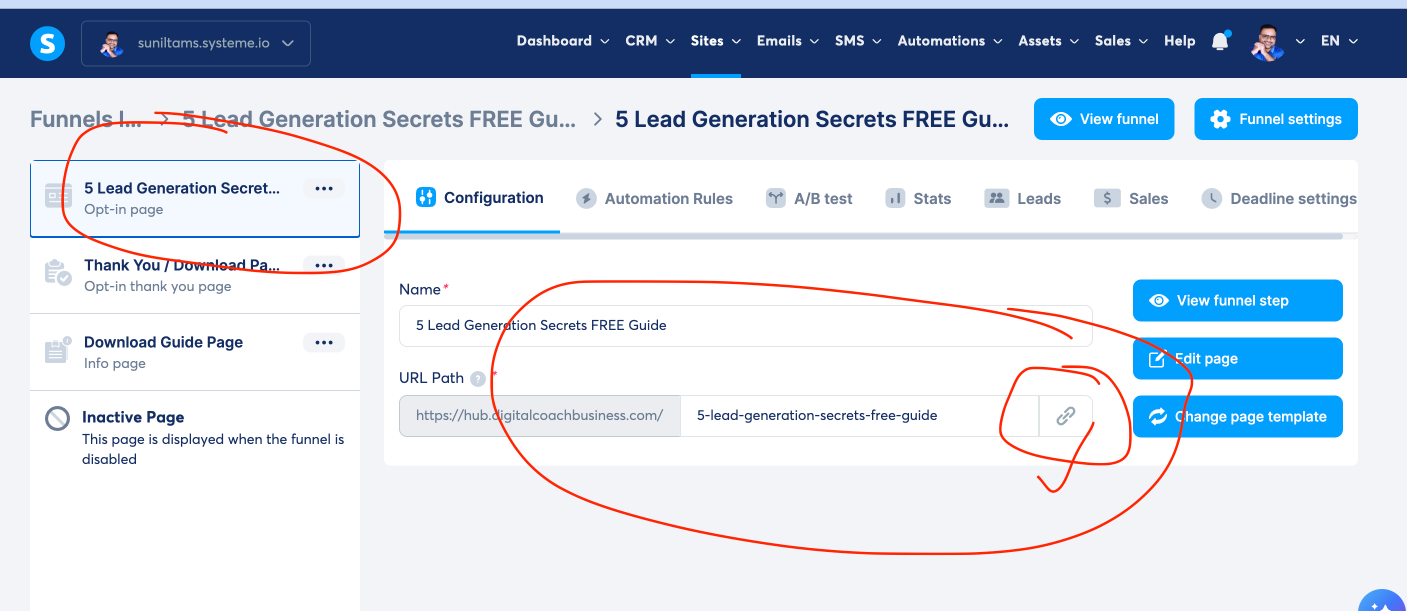
Inside your funnel, click the landing page for which you want to get the public link.
For example, your landing page could be:
5 Lead Generation Secrets FREE Guide
Once you select the page, Systeme.io will show its configuration.
Step 4: Find the URL Path
In the page configuration area, look for the section called:
URL Path
You will see your connected domain followed by the URL path of your landing page.
For example:
Domain:
https://hub.digitalcoachbusiness.com/
URL Path:
5-lead-generation-secrets-free-guide
Your complete public URL will therefore look like:
https://hub.digitalcoachbusiness.com/5-lead-generation-secrets-free-guide
Step 5: Click the Link Icon
This is the easiest and most important step.
On the right side of the URL Path field, you will see a chain/link icon.
Simply click the link icon.
Systeme.io will copy the public URL of your landing page to your clipboard.
You can now paste your landing page link anywhere you want.
- YouTube
- Blog Posts
- Meta Ads
- Google Ads
- SMS
- QR Codes
How to Test Your Landing Page Link
Before sharing your landing page link with your audience, always test the public URL.
Open a new browser tab and paste the URL.
Then press Enter.
Your landing page should open normally.
Pro Tip: Test in Incognito Mode
I strongly recommend testing your landing page in Incognito or Private Mode.
This gives you a better idea of what a normal visitor will see.
Also test the landing page on your mobile phone before sending traffic to it.
How to Change Your Systeme.io Landing Page URL
You can also customize the URL path of your landing page.
Go to your funnel and select the landing page. Then find the URL Path field.
You can create a shorter and more memorable URL.
For example, instead of:
5-lead-generation-secrets-free-guide
you could use something shorter such as:
free-guide
Your final URL could then look like:
https://yourdomain.com/free-guide
A good URL should be short, clear, relevant, and easy to remember.
Can You Share the Link of Another Funnel Page?
Yes.
You can get the public URL of different pages inside your funnel.
For example, your funnel may look like:
Each page can have its own URL.
Simply select the page you want and copy its public link using the link icon.
Public Link vs Editor Link
This is an important point for beginners.
When you are working inside the Systeme.io page editor, you may see an editor URL.
Do not share your editor URL with your audience.
Your audience needs the public landing page URL.
Editor Link → Used by you to edit your page
Public Link → Used by your visitors
Always use the public landing page link when promoting your landing page.
What If Your Landing Page Link Is Not Working?
If your public URL is not opening correctly, check the following:
1. Check Your Domain
Make sure your custom domain is properly connected and working.
2. Check the URL Path
Make sure the URL path is correct and does not contain unnecessary characters.
3. Check Your Funnel
Make sure the funnel and landing page are active.
4. Check the Complete URL
Remember that the URL path alone is not necessarily the complete public link.
For example:
free-guide
is only the URL path.
The complete URL could be:
https://yourdomain.com/free-guide
5. Test on Mobile
Always open your landing page on a smartphone before running paid advertising or sharing it widely.
Example: Getting a Public Link in Systeme.io
Let's take a simple example.
Suppose you have created a free lead magnet called:
5 Lead Generation Secrets FREE Guide
Your domain is:
https://hub.digitalcoachbusiness.com/
Your URL path is:
5-lead-generation-secrets-free-guide
Your complete public landing page link becomes:
You can now copy this URL and share it with your audience.
Why a Clean Landing Page URL Matters
Your URL may look like a small part of your marketing funnel, but it contributes to the overall professionalism of your Digital Business.
A clean URL is easier to:
- Remember
- Share
- Type manually
- Use in social media
- Use in advertisements
- Share during webinars
- Convert into a QR code
A short URL such as:
yourdomain.com/free-guide
is easier for your audience to understand and remember.
Systeme.io Landing Page Link Checklist
Before sharing your landing page, use this quick checklist:
- ✓ Landing page is active
- ✓ Correct domain is connected
- ✓ URL Path is correctly configured
- ✓ Public link is copied using the link icon
- ✓ Link works in a new browser tab
- ✓ Link works in Incognito Mode
- ✓ Link works properly on mobile
- ✓ Opt-in form is working
- ✓ Thank You Page is working
- ✓ Email automation is working
- ✓ WhatsApp follow-up system is ready
Ready to Build Your Landing Pages?
If you want an all-in-one platform to build landing pages, sales funnels, email campaigns, automation, and your Digital Business, you can create your free account on Systeme.io .
Create Free Account on Systeme.ioFinal Thoughts
Getting the public link of your landing page in Systeme.io is very simple.
Just follow this path:
Copy the URL, test it, and then start sending traffic.
But remember one important Digital Business principle:
A landing page is only one part of the system.
Your complete system should ideally connect:
Build Your Digital Business with the Right System
If you are a Coach, Trainer, Consultant, Expert, Mentor, or Knowledge Entrepreneur, learning how to create landing pages is just the beginning.
You need a complete system for Lead Generation, Funnels, Landing Pages, AI, Automation, Email Marketing, WhatsApp Follow-Up, Personal Branding, and Client Acquisition.
Start building your Digital Business with the right tools and systems.
Create Free Account on Systeme.io
— Sunil Chaudhary
Digital Coach Business Mentor
Founder, JustBaazaar & Career Building School
 Launch your Graphy